
Share this article
Community Safety · E-Safe News
Public Wi Fi Warning: The Hidden Risks Behind Free Connections
Free public Wi Fi is convenient, but the wrong connection can expose your data, your accounts, and your business. Here is what neighbors should know about the risks and the steps that…
A Convenient Habit With Serious Exposure
Most of us have done it. We open a laptop at a coffee shop, connect a phone in an airport, check email at a hotel, or review documents during a meeting at a public venue. Public Wi Fi has become part of daily life because it is fast, free, and easy. For some, it supports small business conversations, real estate discussions, travel plans, medical portals, banking alerts, and private family matters.
That convenience, however, can create a false sense of safety. The moment you connect to a network you do not control, you place trust in equipment, settings, and people you cannot see. In many cases, the connection works exactly as expected. In the wrong setting, though, that same convenience can expose passwords, browsing sessions, sensitive files, and account access to criminals who know what to look for.
Why This Still Matters
Public Wi Fi is safer today than it was years ago because secure websites and encrypted connections are far more common. But safer does not mean risk free. The danger often appears when people connect to lookalike networks, enter information into fake login pages, browse insecure services, or handle sensitive business on a network with little or no protection.
Known Security Risks
Man in the Middle Attacks
In this kind of attack, a criminal places themselves between your device and the service you are trying to reach. Instead of your information moving directly where you intended, it passes through the attacker first. That can allow the attacker to view, capture, or even change data moving across the connection.
Evil Twin Networks
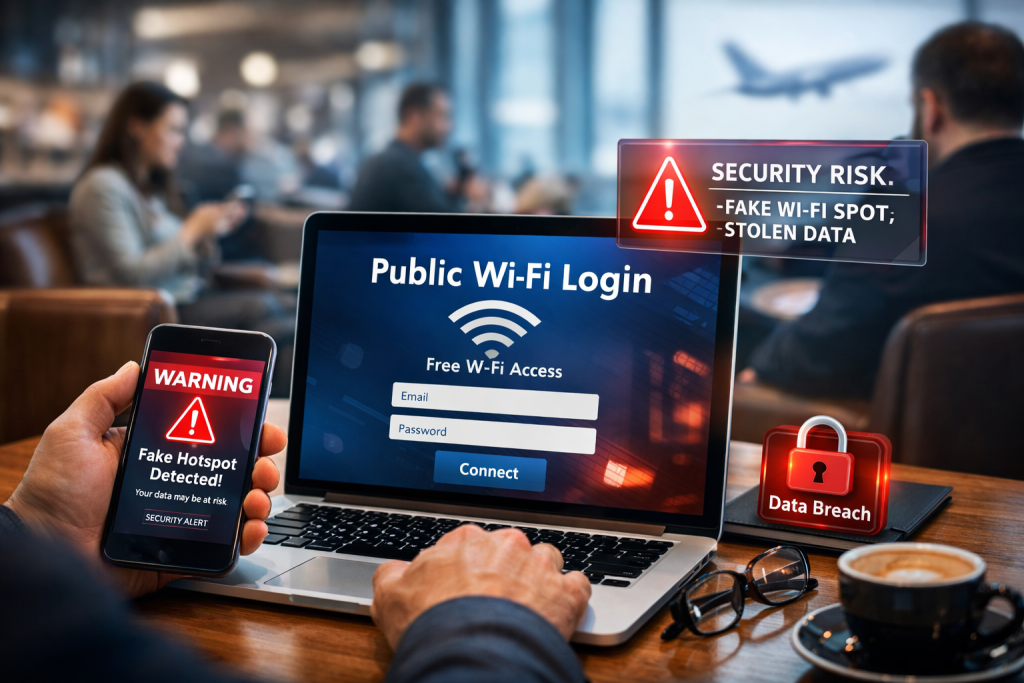
This is one of the most practical public Wi Fi traps. A criminal creates a fake wireless network with a name that closely matches the legitimate one. If you connect to the wrong network, the attacker may be able to watch traffic, harvest credentials, or steer you to fake sign in screens that look real enough to fool busy travelers and customers.
Packet Sniffing
On an unprotected or poorly protected network, attackers can use software to capture data moving between devices and the internet. If the site or service you are using is not properly encrypted, that traffic may reveal usernames, passwords, messages, or other personal information.
Session Hijacking
Even when you do not hand over a password directly, attackers may target the session that keeps you signed in to a website or app. If they steal session information, they may be able to impersonate you inside an already active account.
DNS Hijacking and False Redirection
Sometimes the threat is not just interception, but misdirection. In a DNS hijacking scenario, a rogue or compromised network can send you to a fake version of a legitimate website. To the user, the page may look normal. In reality, it can be built to collect credentials, financial details, or other sensitive information.
Fake Captive Portals and Credential Harvesting
Many public networks use a login or acceptance page before internet access begins. Criminals know that people are used to seeing these portals. A fake portal can ask for an email address, social media login, or other details under the appearance of simple verification. Once entered, that information can be stolen and reused.
Malware Exposure Through Compromised Networks
Poorly secured or outdated public network equipment can create openings for malicious activity. In some cases, users may be redirected to harmful pages, exposed to deceptive prompts, or pushed toward links and downloads that should never be trusted.
How to Protect Yourself
Verify the Exact Network Name
Do not join a network just because it looks familiar. Ask staff for the exact name and avoid connecting if you see several similar versions.
Avoid Sensitive Work When Possible
If you need to discuss banking, move money, open legal documents, review contracts, or access business systems, it is better to wait or use a trusted personal hotspot.
Use a Trusted VPN
A reputable VPN can add an extra layer of protection by encrypting your traffic before it moves across the local network.
Look for Secure Websites
Check for HTTPS and the lock symbol, but do not rely on that alone. A secure connection to a fake site is still a fake site. Slow down and make sure the page itself is legitimate.
Turn Off Auto Connect
Devices that automatically join nearby networks are easier to trap. Disable automatic connections to open or unfamiliar networks.
Keep Devices Updated
Current operating systems, browsers, security software, and apps help close known weaknesses that attackers often exploit.
Use Two Factor Authentication
If a password is stolen, two factor authentication can still help block account access.
Disable Sharing Features You Do Not Need
Turn off file sharing, printer sharing, nearby discovery features, and Bluetooth when they are not actively needed in public spaces.
Log Out When You Finish
Do not stay signed in longer than necessary, especially on accounts tied to email, cloud storage, business tools, or financial information.
Final Warning for Neighbors
Free internet can be useful. It can also be expensive in ways people do not see until after the damage is done. A rushed login at the airport, a quick document review in a lobby, or a fast check of private messages during a meeting can become the moment your information leaves your control.
The safest mindset is simple. Treat public Wi Fi as a convenience, not a trusted workspace. If the task involves money, identity, private communications, or business decisions, pause before you connect.
Sourcing
- The Federal Trade Commission’s current consumer guidance says public Wi Fi is often safer than it used to be because most mainstream sites now encrypt traffic, but it also warns that scammers can create fake websites that look secure while still stealing information. That supports the article’s updated, more nuanced framing.
- The FTC’s public Wi Fi safety guidance warns consumers not to assume a hotspot is encrypted, explains that secure browsing depends on HTTPS, and notes that attackers on an insecure network may hijack accounts and misuse stolen credentials. That supports the article’s discussion of packet sniffing, account compromise, and safer browsing habits.
- The National Security Agency states that open public Wi Fi is vulnerable to theft or manipulation, warns that attackers can set up a fake access point known as an evil twin, and recommends using a VPN and HTTPS to reduce exposure. That directly supports the sections on evil twin networks, man in the middle risk, and encrypted browsing.
- The FBI’s Internet Crime Complaint Center warns that hotel Wi Fi can be used to monitor browsing, redirect users to false login pages, and lure guests onto malicious networks with similar names. The FBI also recommends verifying the official network name, avoiding auto reconnect, using multi factor authentication, and using a trusted hotspot when possible. That supports the article’s practical protection steps.
- NIST defines a session hijack attack as an attack in which an intruder inserts themselves into a session after authentication and then poses as one party to control the exchange. That supports the article’s explanation of session hijacking as a risk even after a user is already signed in.
- CISA has documented DNS hijacking campaigns in which attackers modify where a domain resolves, effectively redirecting users away from legitimate destinations. That supports the article’s warning that a malicious or compromised network can send a victim to a convincing fake site.
Frequently Asked Questions (FAQs)
Find clear answers about this E-Safe page, its available features, community resources, responsible use, and related services for Coastal Georgia residents. Use the source links and official contacts when making local decisions.
Is a password protected public Wi Fi network actually secure?
Not always. A password on a public network often controls access, but it does not necessarily mean the network is private or strongly protected. In many public places, the password is shared widely with customers, visitors, or guests. That means other connected users may still present a risk if the network is poorly configured. A shared password should be viewed as basic access control, not proof of real security.
Are hotel, conference, or airport networks safer than open coffee shop Wi Fi?
They may look more professional, but they are not automatically safer. Large public venues often handle heavy traffic, frequent guest turnover, and many unfamiliar devices at once. Those environments can still attract fake networks, credential theft attempts, or poorly secured access points. The setting may appear more legitimate, but the same caution should still apply.
What should I do if I think I connected to a fake or suspicious hotspot?
Disconnect immediately. Turn off Wi Fi on the device, forget the network, and avoid reconnecting until you confirm the correct network name with staff. Then change passwords for any accounts you accessed while connected, especially email, banking, cloud storage, and work platforms. Review account login history where available, enable two factor authentication if not already active, and monitor for unusual activity.
Is a VPN enough to make public Wi Fi safe for banking, contracts, or sensitive business work?
A VPN is a strong layer of protection, but it should not be treated as permission to do everything on a public network. A VPN helps protect traffic in transit, yet it does not stop every threat. A fake website, a malicious login page, an infected device, or user error can still lead to compromise. For high value transactions or confidential work, a trusted personal connection remains the better choice.
Is my phone’s personal hotspot safer than public Wi Fi?
In most cases, yes. A personal hotspot gives you more control because the connection is tied to your own mobile service and protected by your own password. It reduces exposure to nearby strangers on a shared public network and lowers the chance of joining a lookalike hotspot. It is not perfect, but for private browsing, business tasks, and account access, it is usually the safer option.
What signs should make me stop and question a public Wi Fi connection before using it?
Be cautious if you see several similar network names, if the login page asks for unusual personal details, if the connection repeatedly drops and reconnects, or if websites suddenly look different than normal. Unexpected certificate warnings, redirects to strange pages, or prompts for software updates should also raise concern. When a network behaves oddly, it is often best to disconnect and use another connection rather than trying to push through it.